What Is an HPC
15 Minutes
Objectives
- Understand key terminology.
- Distinguish between remote and local hardware.
- Describe key components of cluster architecture.
- Run your first commands on the cluster.
Prerequisite
- A Mahuika account, see Creating an Account.
- Membership of an active project. If you are attending a workshop, you will be added to a training project. Otherwise, join an existing project or apply for a new one.
- A way to log in, see Connecting to the Cluster.
What is an HPC system?
The words "cloud", "cluster", and the phrase "high-performance computing" or "HPC" are used a lot in different contexts and with various related meanings. So what do they mean? And more importantly, how do we use them in our work?
A remote computer is one you have no physical access to, and must connect to over a network (as opposed to a local computer).
Cloud refers to remote computing resources that are provisioned to users on demand or as needed.
HPC, High Performance Computer, High Performance Computing or Supercomputer are all general terms for a large or powerful computing resource.
Cluster is a more specific term describing a type of supercomputer comprised of multiple smaller computers (nodes) working together. Almost all supercomputers are clusters.
We will generally use 'cluster'.
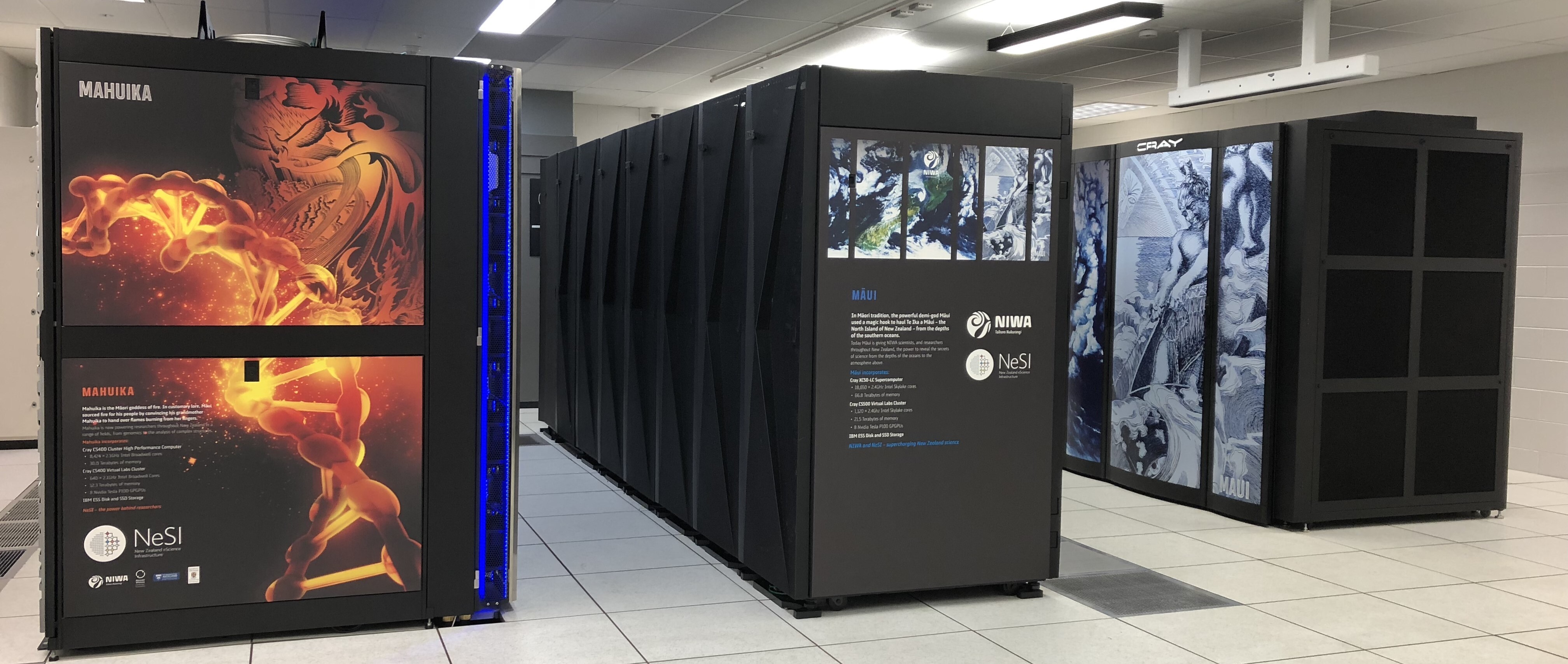 The REANNZ High Performance Cluster
Access
You will connect to a cluster over the internet either with a web client (OnDemand) or with SSH (Secure Shell). Your main interface with the cluster will be using command line. Log in now, so you can run the commands in this lesson. If you use OnDemand, open a terminal from it.
Nodes
Individual computers that compose a cluster are typically called nodes. On a cluster, there are different types of nodes for different types of tasks. The node where you are now will be different depending on how you accessed the cluster.
If you connected with SSH, you are on a login node. (If you connect with Mahuika OnDemand, you will not technically be on a login node, but can be treated as such) Login nodes are the access point to the cluster.
The real work on a cluster gets done by the compute nodes. Compute nodes come in many shapes and sizes, but generally are dedicated to long or hard tasks that require a lot of computational resources.
What's in a node?
A node is similar in makeup to a regular desktop or laptop, composed of CPUs (sometimes also called processors or cores), memory (or RAM), and disk space. Where your laptop might have 8 CPUs and 16 GB of memory, most Mahuika compute nodes have 128 or 168 cores, and 384 GB or more of memory (see Hardware).
-
CPUs are a computer's tool for running programs and calculations.
-
Memory is for short-term storage, containing the information currently being operated on by the CPUs.
-
Disk is for long-term storage, data stored here is permanent, i.e. still there even if the computer has been restarted. It is common for nodes to connect to a shared, remote disk.
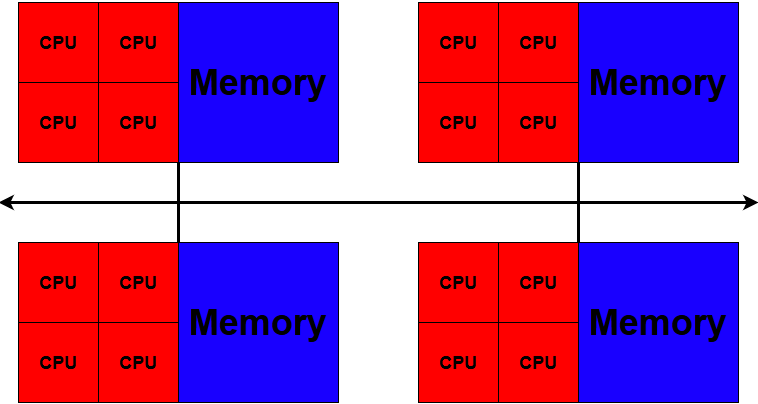
Differences Between Nodes
Many HPC clusters have a variety of nodes optimised for particular workloads. Some nodes may have larger amounts of memory, or specialised resources such as Graphical Processing Units (GPUs).
Dedicated Transfer Nodes
If you want to transfer larger amounts of data to or from the cluster, REANNZ
offers dedicated transfer nodes using the Globus service.
More information on using Globus for large data transfer to and from the cluster can be found on the
Globus Transfer Service page.
What is Mahuika?
Mahuika is...
Have a look around
Let's run a few commands to see where we are. Type each command and press Enter. Your numbers will be different from the examples below, especially if you connected with OnDemand, as they change while people use the cluster.
hostname prints the name of the computer you are on:
hostname
login03.hpc.nesi.org.nz
If you connected with SSH, the name starts with login, so you are on a login node.
Local and remote
If you have a terminal open on your own computer, run hostname there too.
You will get a different name: one is your local computer, the other is the remote cluster.
Before running the next two commands, guess how many CPUs and how much memory your laptop has. Then guess the same for the login node.
nproc prints the number of CPUs you can use:
nproc
248
free -h prints the amount of memory, in human readable units (-h).
The total column is the memory in the node, here 503Gi:
free -h
               total        used        free      shared  buff/cache   available
Mem:           503Gi       161Gi       3.5Gi       5.8Gi       352Gi       341Gi
Swap:             0B          0B          0B
That is a lot more than a laptop, but you are not the only one using it.
who lists the login sessions on this node, and wc -l counts them.
The | passes the output of who to wc (more on this in Environment & Modules):
who | wc -l
148
The login node is shared by everyone logged in to it. That is why login nodes are for light work, such as editing files and submitting jobs, and anything that needs a lot of CPU or memory should run on the compute nodes.
sinfo shows the compute nodes, grouped into partitions.
The genoa and milan partitions are named after the type of CPU in their nodes:
sinfo
PARTITION     AVAIL   TIMELIMIT    S:C:T MEMORY   NODES(A/I) NODELIST
genoa         up    21-00:00:00   2:84:2 366694+  30/28      c[001-044],g[01-12],l[01-08]
milan         up    21-00:00:00  4+:6+:2 491520+  64/2       mc[046-100],mg[13-19],ml[09-12]
hugemem       up    21-00:00:00 2+:20+:2 1469012+ 1/1        cl[17-19]
maintenance   up    21-00:00:00  2+:6+:2 366694+  95/31      c[001-044],cl[17-19],g[01-12],l[01-08],mc[046-100],mg[13-19],ml[09-12]
The NODES(A/I) column counts the nodes that are allocated (in use) and idle.
In this example, 94 of the 124 nodes in genoa and milan are in use.
When the cluster is busy, a new job waits in a queue until there is room for it.
You will see this in Submitting Your First Job.
Which tool?
A cluster is not always the right tool. For each problem, which would you use?
-
Answered: 0 / 0 (0%)
-
-
Correct: 0 / 0 (0%) Reset